低RAM VPS上のDebian 12:MySQLのメモリ不足クラッシュを減らす方法
Debian 12 で発生する MySQL の OOM による強制終了を診断し、VPS のメモリ制限を確認し、スワップを設定し、データベースのメモリと同時実行性を調整します。ただし、万能な解決策を保証するものではありません。
Example scenario: Imagine Maya maintains a Debian 13 desktop used for development and wants system updates that can be rolled back as a complete version. She can use this goal to evaluate an OSTree-based Debian derivative, but she should not run a command on her current installation and expect it to become immutable. OSTree needs an operating-system tree, boot integration, and an update process designed for deployments.
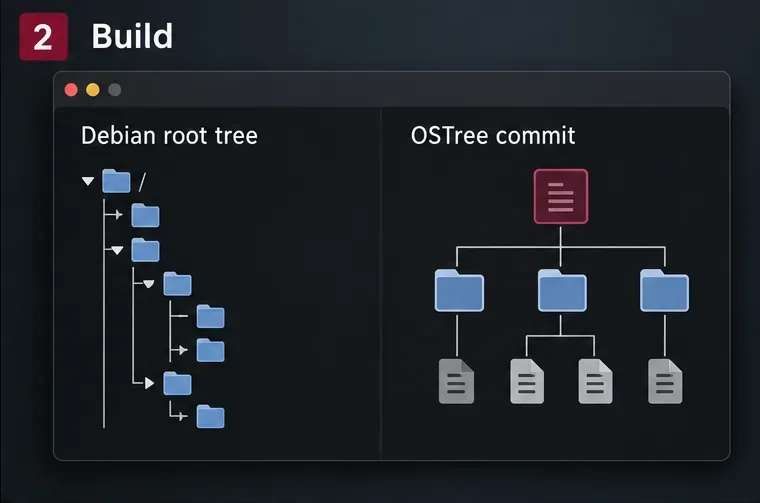
OSTree stores complete filesystem trees as versioned commits and arranges bootable deployments. A new deployment can be selected for the next boot while an earlier one remains available for rollback. This changes how the OS is built and updated; it does not turn ordinary Debian package management into an atomic system automatically. Debian’s current ostree-boot package is described as integration for a Debian derivative, and it requires a dracut-built initramfs plus a supported bootloader. The steps below therefore describe a testable derivative workflow, not a supported one-command conversion of an installed Debian desktop.
OSTree is an operating-system deployment and upgrade system, not a replacement for Debian’s package repository or dependency resolver. A build process still needs to install packages and assemble a complete root filesystem. OSTree then records and deploys that tree. For updates, the build process creates another full tree commit, and the client switches to it as a deployment. This is why an OSTree desktop needs a repeatable way to build its system image; running apt upgrade against the live root is not the same update model.
“Immutable” is also a useful shorthand rather than a claim that every file on the computer is read-only. In a typical deployment, the system tree is treated as read-only, while /etc holds machine configuration and /var holds mutable state. User files normally live outside the versioned operating-system tree, often under /home. OSTree’s handling of these paths and of boot entries is part of the system design. Changes made to the deployment’s /usr are not a durable substitute for producing a new image.
For Maya, the first question is whether she wants a learning project or a daily-driver operating system. OSTree can make updates and rollbacks more controlled, but Debian does not provide a turnkey “convert this workstation” workflow in the package description. A developer must prepare the OS tree, make its initramfs, integrate the bootloader, decide how package updates become new commits, and test hardware. A known OSTree-based distribution may be a better fit for a desktop where the user wants a maintained, ready-to-install experience.
Check the boot chain before investing time. Debian’s ostree-boot package page for Trixie lists dracut as the initramfs requirement and GRUB 2, syslinux/extlinux, or U-Boot as supported bootloader families. That list does not guarantee that every firmware setup, Secure Boot configuration, disk-encryption arrangement, or vendor-specific boot menu will work without extra integration. In particular, test the exact machine or a close VM configuration before touching its internal disk.
Also list the desktop features that must survive: graphics drivers, Wi-Fi firmware, suspend and resume, audio, printers, encrypted storage, multiple monitors, and any out-of-tree kernel modules. A successful boot into a graphical login is only the beginning. If Maya depends on a proprietary driver or a special kernel module, it must be available in the built image and compatible with the kernel and initramfs.
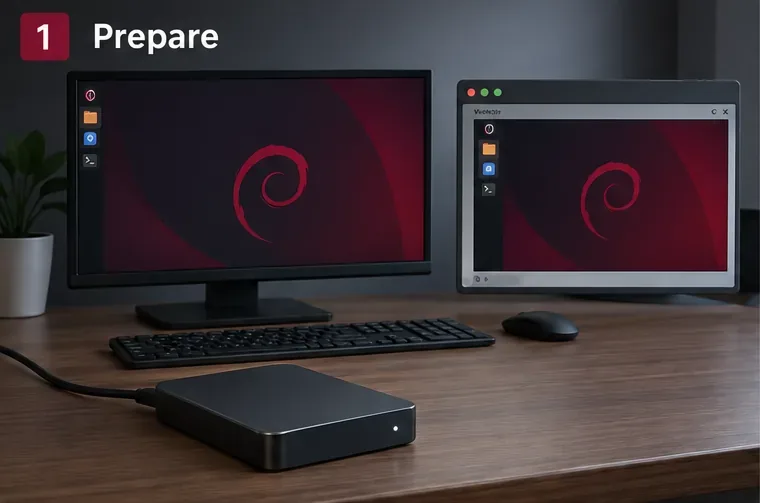
Start with a disposable VM using a Debian release and architecture that match the target. Take a VM snapshot before experimenting. Back up the real desktop’s home directory, browser profiles, SSH keys, password-manager recovery material, and any data that is not already synced elsewhere. Keep the backup separate from the VM disk. Do not repartition or format the daily-use computer as part of the first test.
Use a separate build directory and a separate target disk image. Keep notes on the Debian release, architecture, package list, kernel version, bootloader, and changes made to the tree. A reproducible build record helps Maya distinguish an actual image change from a machine-specific configuration change. If the goal is to retain the existing desktop exactly, a fresh base tree will not do that automatically: installed packages, user accounts, hardware settings, and configuration need to be deliberately carried over or recreated.
On a Debian Trixie builder, install the available OSTree tools, boot integration, and dracut packages:
sudo apt update
sudo apt install ostree ostree-boot dracut
Package availability and dependencies can differ by Debian release and architecture, so confirm them with APT on the builder. This only installs tools on the machine; it does not change that machine’s boot process or make its root filesystem immutable. The Debian package description explicitly says ostree-boot provides pieces for booting a Debian derivative.
リリースのパッケージツールまたはDebianイメージ構築システムを使用して、完全なルートファイルシステムを準備します。ターゲットに必要なカーネル、systemd、デスクトップ環境、ファームウェア、ドライバに加え、OSTreeブート統合とそのinitramfsサポートを含めます。ユーザー、ロケール、ネットワーク、サービス、デスクトップのデフォルト設定は意図的に構成します。たとえば、コンソールに起動する最小限のツリーはまだデスクトップとは言えず、あるマシン用に構築されたツリーには、別のマシン用のドライバが含まれていない場合があります。
ツリーをコミットする前に、OSTree のデプロイメント レイアウトに準拠させてください。アップストリームの適応ガイドによると、デフォルトの構成は/usr/etc従来のルート ツリーではなく に属します/etc。OSTree はこれを、デプロイメントごとに変更可能な のベースとして使用します/etc。ツリーには、選択した OSTree バージョンとブート統合で認識される場所に、カーネルと互換性のある initramfs も含まれている必要があります。ここでは、Debian 固有のブート パッケージとアップストリーム ガイドを一緒に読む必要があります。有効なディレクトリ ツリーだけでは、必ずしもブート可能な Debian デプロイメントになるとは限りません。
稼働中のホストの/コミット全体を無条件にコピーしないでください。一時ファイル、マシン固有の状態、パッケージマネージャの状態が誤った場所にコピーされたり、古いブートプロセスを前提とした設定が取り込まれたりする恐れがあります。OSTreeでは、イメージビルダーがパッケージの組み立て方法とアップデートの生成方法を定義することを想定しています。このイメージ構築パイプラインこそが、Debianデスクトップ環境の移行における主要なエンジニアリング作業です。
ルートツリーの準備ができたら、ローカルリポジトリを作成し、分かりやすいブランチ名でツリーをコミットします。この例では、/srv/debian-rootは準備済みのツリーであり、実行中のホストのルートではありません。
sudo mkdir -p /srv/ostree/repo
sudo ostree --repo=/srv/ostree/repo init --mode=archive
sudo ostree --repo=/srv/ostree/repo commit \
  --branch=debian/trixie/desktop \
  --subject="Debian Trixie desktop test image" \
  /srv/debian-root
sudo ostree --repo=/srv/ostree/repo refs
コミットはツリー内のファイルを記録し、ブランチはそのバージョンを指します。ディスクの設定、ファームウェアのブートエントリの作成、initramfsがデプロイメントを検出できることの証明は行いません。次のイメージを再構築して比較できるように、リポジトリとビルド入力は利用可能な状態に保ってください。真のアップデートサービスを実現するには、セキュアな転送、リポジトリへのアクセス制御、適切な署名付きコミット、および文書化されたリリースプロセスも設計する必要があります。
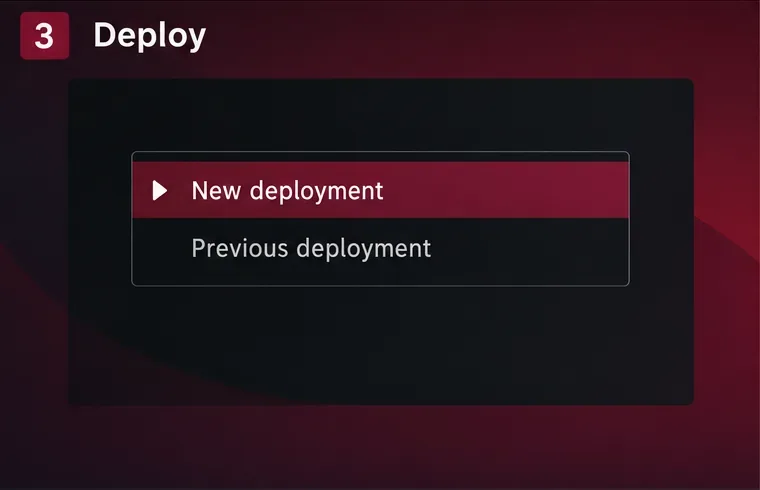
OSTreeのsysrootを作成し、ブートローダーを設定する方法を知っているインストーラーまたはイメージ構築ワークフローを使用して、新しいVMディスクをプロビジョニングします。OSTreeのadmin init-fsコマンドは空の物理ルートファイルシステムを初期化し、管理者はstaterootを初期化してコミットをデプロイできますが、これらのコマンドは構成要素であり、すべてのDebianデスクトップ向けの完全なインストーラーレシピではありません。パーティションのレイアウト、ファームウェアブートファイルのインストール、互換性のあるinitramfsの生成、ファームウェアとブートローダーの設定といった作業は不要になります。
Debian統合パッケージでサポートされているブートローダーファミリーを使用し、ブートエントリがOSTreeデプロイメント参照をinitramfsに渡していることを確認してください。OSTreeのデプロイメントに関するドキュメントには、ブートエントリにはostree=カーネル引数が含まれており、initramfsはこの引数を使用して選択されたデプロイメントを特定します。暗号化、LVM、RAID、セキュアブート、または特殊なストレージを備えたシステムの場合は、テストを行う前にinitramfsに必要なモジュールとキーが含まれていることを確認してください。正常に動作する従来のDebianブートエントリがOSTreeデプロイメントを自動的に起動すると想定しないでください。
初回展開の場合は、インストーラーまたはイメージビルダーの指示に従って、ご使用のブートパスを正確に指定してください。 のような単純なコマンドは、ostree admin deploy既に設定済みの OSTree システム上でデフォルトの展開としてコミットをキューに入れるだけで、現在実行中の Debian インストールをそのシステムに変換するものではありません。
VMを新しいデプロイメントに起動し、ログイン画面だけでなく、ネットワーク接続、グラフィックアクセラレーション、サウンド、サスペンドとレジューム、ストレージマウント、アップデート、アプリケーションの動作などを確認します。次に、デプロイメントリストを調べます。
sudo ostree admin statusこのコマンドは、利用可能なデプロイメントを一覧表示し、現在起動中のデプロイメントをマークします。テスト中は、以前の正常に動作していたデプロイメントを保持してください。新しいイメージが失敗した場合は、ブート メニューを使用して以前のデプロイメントを選択するか、インストール済みのバージョンに対して文書化された OSTree ロールバック ワークフローを使用してください。以前のデスクトップが起動し、ユーザー データがそのまま残っていることを確認してください。OSTree は OS ツリーをバージョン管理しますが、個人ファイルを自動的に復元したり、. の下の共有データに対するすべてのアプリケーションの変更を元に戻したりはしません/var。
保守性の高いデスクトップ環境を実現するには、OSのアップデートはすべて、レビュー可能な新しいツリーコミットから提供されるべきです。誰がビルドするのか、Debianパッケージのアップデートがどのようにツリーに組み込まれるのか、カーネルとファームウェアのアップデートがどのようにテストされるのか、コミットがどのようにクライアントに配信されるのか、そして以前のバージョンがどのくらいの期間保持されるのかを決定してください。ユーザーが追加のアプリケーションを必要とする場合は、通常のAPTコマンドでベースOSをサイレントに変更するのではなく、Flatpakなど、適切なサポート対象のアプリケーション配信方法を選択してください。
/etc状態管理は慎重に計画してください。新しいデプロイメントではローカル編集が引き継がれる可能性がありますが、構成変更には管理者による確認が必要になる場合があります。データ/varはデプロイメント間で共有されるため、OS をロールバックしても、データベース スキーマやアプリケーション データ形式が必ずしもロールバックされるとは限りません。ユーザー ファイルには独自のバックアップおよび復旧計画が必要です。不変のシステム ファイルは OS バージョンの切り替えを容易にしますが、すべてのマシン状態をトランザクション化できるわけではありません。
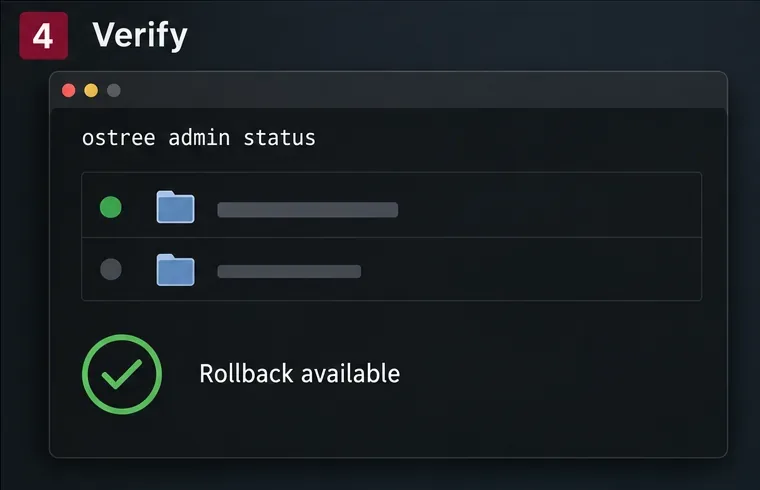
ostree admin statusアクティブなデプロイメントと、以前のデプロイメントがまだ利用可能かどうかを確認するために使用します。Mayaの仮想デスクトップ環境にとって、現実的な成果は、テスト済みのDebianベースのOSTreeイメージと、そのイメージを再現可能な方法で次のデプロイメントに展開することであり、変更されていないDebianインストールが魔法のように不変になることではありません。仮想マシンで開始し、更新パイプラインをシンプルに保ち、ブート統合、デスクトップドライバ、ロールバックパスがすべて目的のマシンで正常に動作することが確認できた場合にのみ、物理ハードウェアに移行してください。
/etc、/varカーネル、およびブートエントリ。Debian 12 で発生する MySQL の OOM による強制終了を診断し、VPS のメモリ制限を確認し、スワップを設定し、データベースのメモリと同時実行性を調整します。ただし、万能な解決策を保証するものではありません。
Learn how to create and test a Debian-derived OSTree desktop in a VM, including system-tree preparation, boot integration, deployment checks, and rollback.
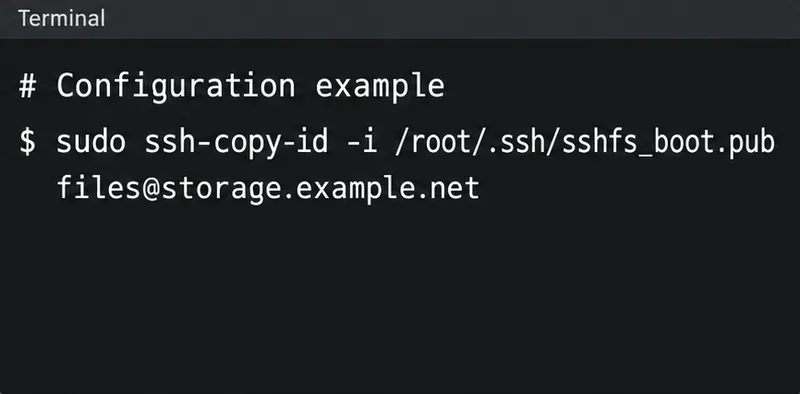
Configure an SSHFS boot mount in Debian with SSH keys, fstab, and systemd automount. Includes reboot checks, permissions, timeouts, and troubleshooting.
東京の2026年10月に確認したい住まいの手入れを解説。台風や秋雨に備えるベランダ排水・窓の点検、エアコンフィルター掃除、室内の湿気対策、賃貸と持ち家の連絡先をまとめました。平年値と最新予報の違いも紹介します。
東京都の2026年10月に種まき・植え付けできる小松菜、ホウレンソウ、春菊、ソラマメ、ハーブ、パンジーや球根を紹介。気象庁の平年値と最新予報の違い、霜や残暑への備え、週ごとの作業目安も確認できます。
ポッドキャスト初心者の方へ。動画、発見、文字起こし、AI、分析、収益化、そして実践的な立ち上げ計画など、2026年のトレンドについて学びましょう。
顧客コンテンツとクリエイターコンテンツの真正性を損なうことなく、コンテンツの調達、許可取得、ブリーフィング、公開、測定を行うための実践的なUGCマスタークラス。
コミュニティ構築は、信頼関係、顧客維持、フィードバック、そして支持を深めるのに役立ちますが、あらゆるマーケティングチャネルの代替となるものではありません。それぞれのメリット・デメリットを比較検討し、最適なモデルを選択しましょう。
主要なソーシャルプラットフォームが2026年のランキング変更について実際に確認した内容、状況によって異なる点、そして根拠のない噂に惑わされずに適応する方法を学びましょう。
証拠、リアルな緊張感、倫理的な顧客事例、そして実践的な信憑性チェックを活用することで、ブランドストーリーを信憑性があり、人間味にあふれ、具体的なものにする方法を学びましょう。